00:00
icon

MapMind™ Gallery (a Glimpse Within)


Intro

Before the Map, There Was the Mind

Long before we named places or drew borders, there was space — open land, sky, and the quiet surface of the world. When humans began to make sense of that space, they sketched it, named it, and arranged meaning upon it. The map you see is therefore not only geography; it is a mirror of thought.

MapMind™invites you to consider maps more broadly — as surfaces where human ideas, memories, and intentions take shape. In this light, a map can be a street plan or a document, a sheet of paper or a digital canvas: any ordered surface that carries the imprint of a mind.

“Every mark is a thought placed into space — a small geography of the mind”
D.P.

MapMind™ is both a tool and a perspective. It aims to make it easier to see the ways we map our thinking — to explore, record, and share the mental landscapes that guide us. When MapMind™ is released, it will be free for everyone — a shared space for thought, curiosity, and creativity. We hope you'll download it and let your ideas rest on the map.

This gallery offers only a glimpse into MapMind™—a fraction of the integrated elements that shape its symbolic and functional architecture. Like the first breath drawn beyond a sealed chamber, this unveiling marks a quiet threshold: the outer world’s first touch with a system long held in intentional stillness. Its foundation remains unwavering, yet certain surface details may shift before the final release, refined to better honor clarity, resonance, and the spirit of its invitation.
Gallery (a Glimpse Within)
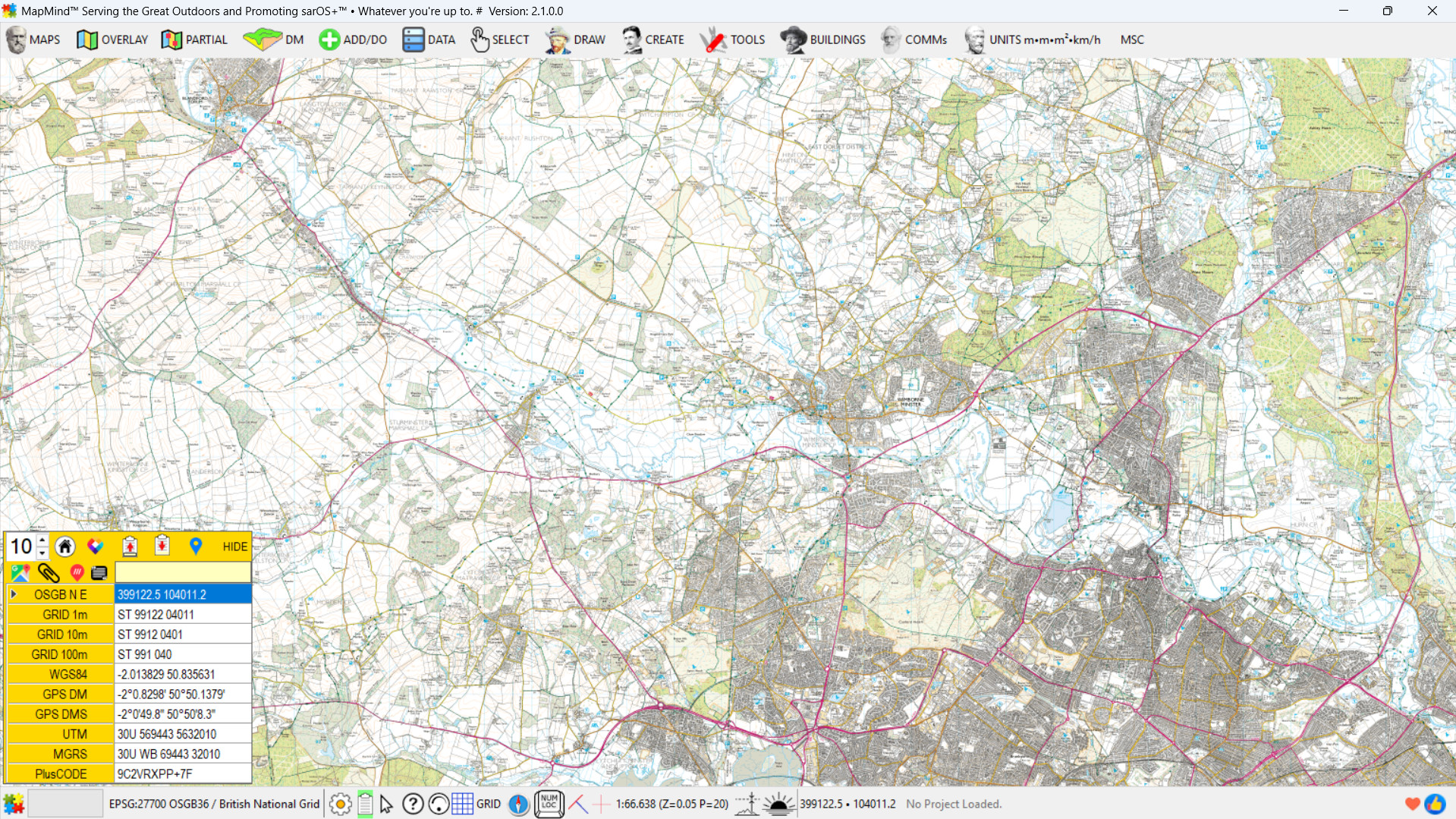
1. Clarity by Design: Just What You Need, When You Need It—MapMind™’s Intent-Driven Interface
Click the image to reveal what comes next
MapMind Image 5
The MapMind™ user interface (UI) is surprisingly uncluttered and clean compared to other mapping (GIS) systems. Users see only what is needed at each step.

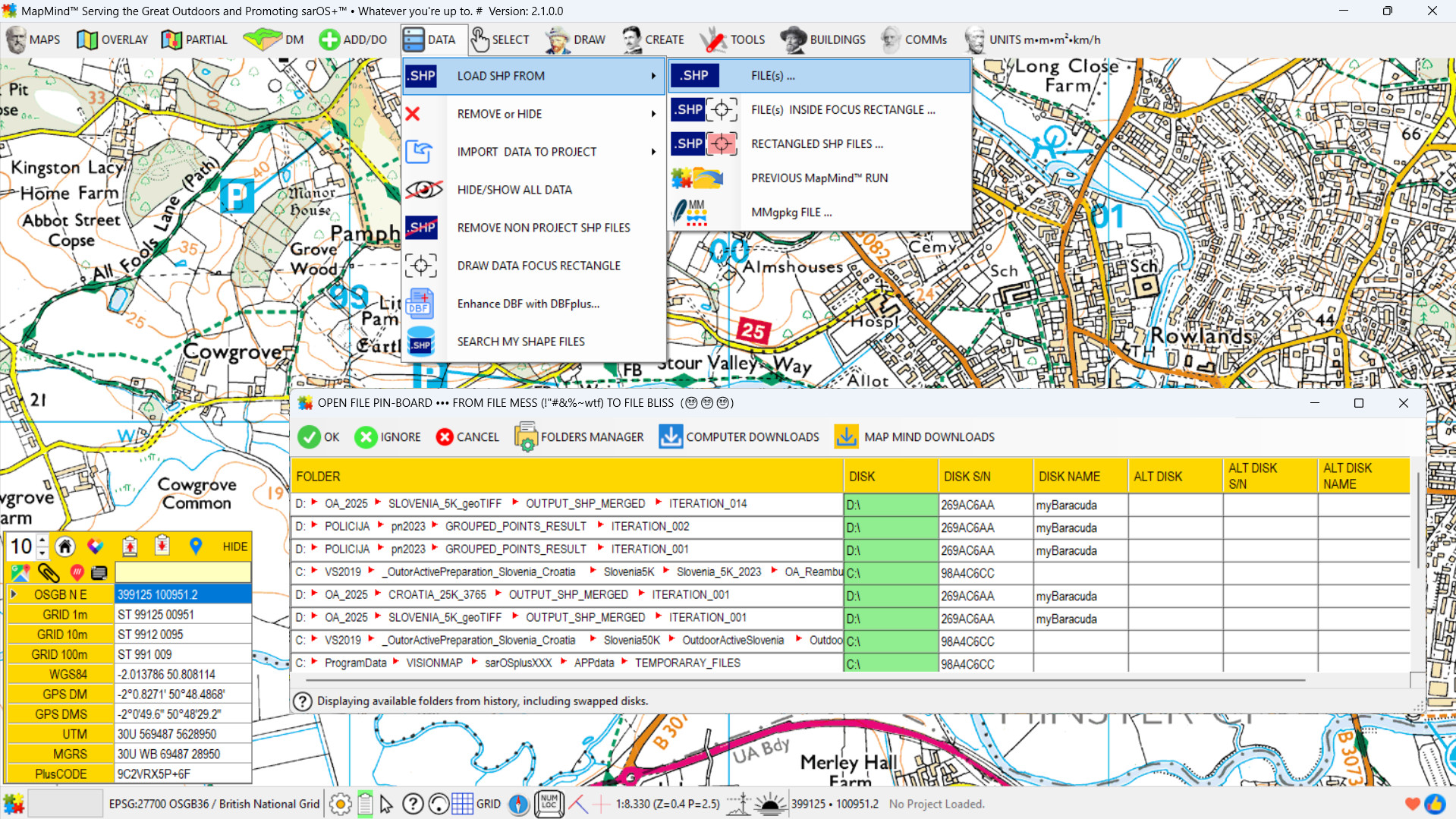
2. From File Mess to File Bliss
Click the image to reveal what comes next
MapMind Image 5
Working with a capable mapping system inevitably involves handling many files—for a wide range of purposes. MapMind™ addresses this complexity with elegance through its "Open File Pin Board", a feature that remembers every location from which a file was opened, organized by purpose and without duplication. Each action—such as Loading shapefile, Loading GPX file, Loading GPKG file, Loading PDF file...— maintains its own distinct, chronologically ordered history. These histories are fully editable, allowing users to revisit or refine their workflows with precision. Even files from disks that are currently detached from the computer remain visible. If a drive letter has changed, MapMind™ intelligently searches for matching paths and files, displaying them with a clear, color-coded notification to indicate the change. This ensures continuity and clarity, even across shifting storage configurations.

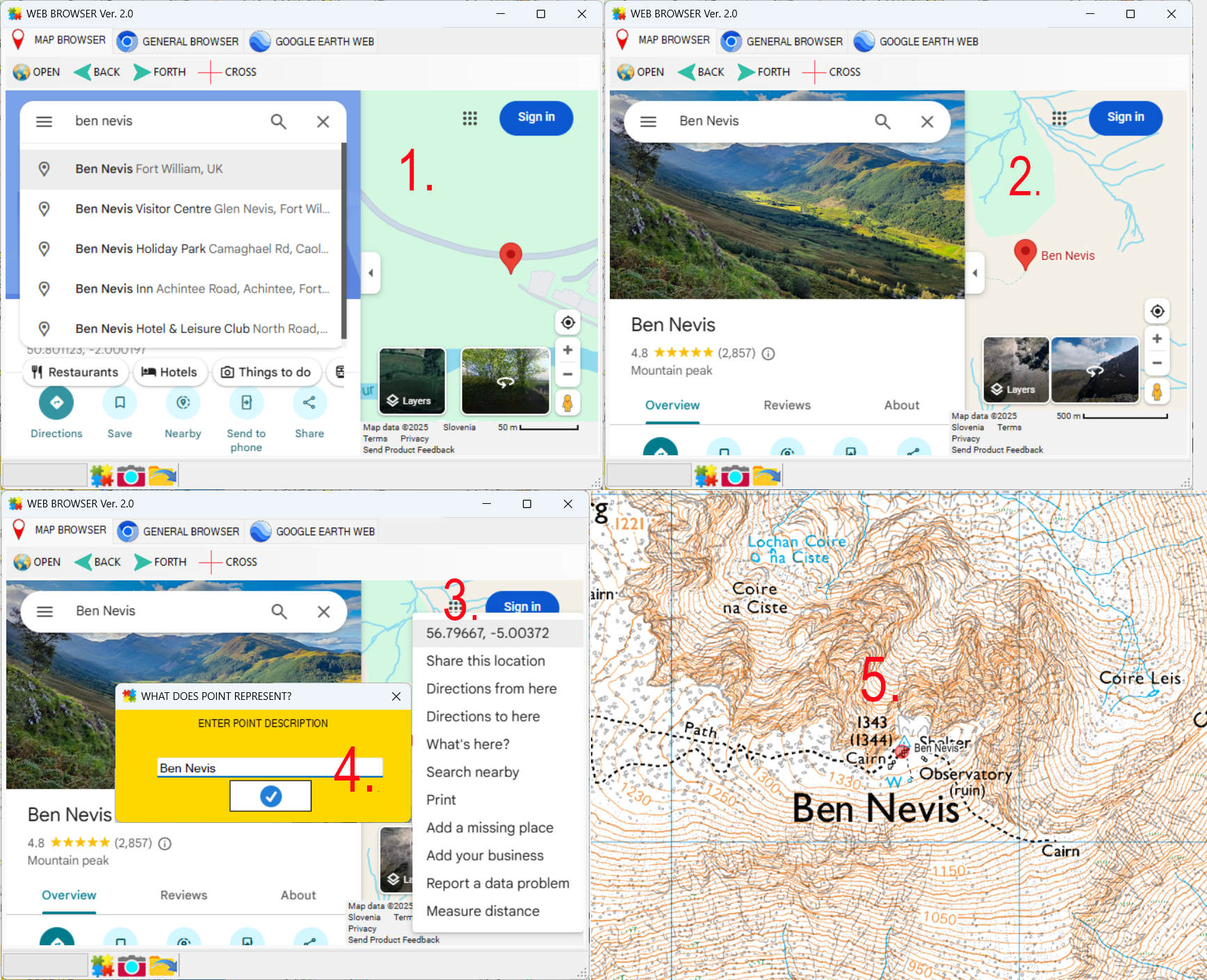
3. Bidirectional Web Communication via Multiple Embedded Chromium Instances
Click the image to reveal what comes next
MapMind Image 5
MapMind™ includes several built-in Chromium-based web browsers, with full interoperability between the mapping environment and the browser interface. For example usig Google Maps: Locate Ben Nevis in Google Maps (1.) Clicking an item in the list moves the Google Maps view to the selected location (2.) Right-clicking near the point opens a context menu, with the coordinates displayed at the top (3.) Clicking the coordinate (also copied to clipboard) opens a prompt to enter a name for the spot (4.) Pressing OK causes MapMind™ to jump to that location and simultaneously stores the name and coordinates in the Jumps History Database (5.) Users can open, edit, perform jumps or create shapefiles directly from the Jumps History Database. Multiple databases are supported, each maintaining its own context and purpose.

4. MapMind™’s EPSG Mirror: Native, Foreign, Even Absurd
Click the image to reveal what comes next
MapMind Image 5
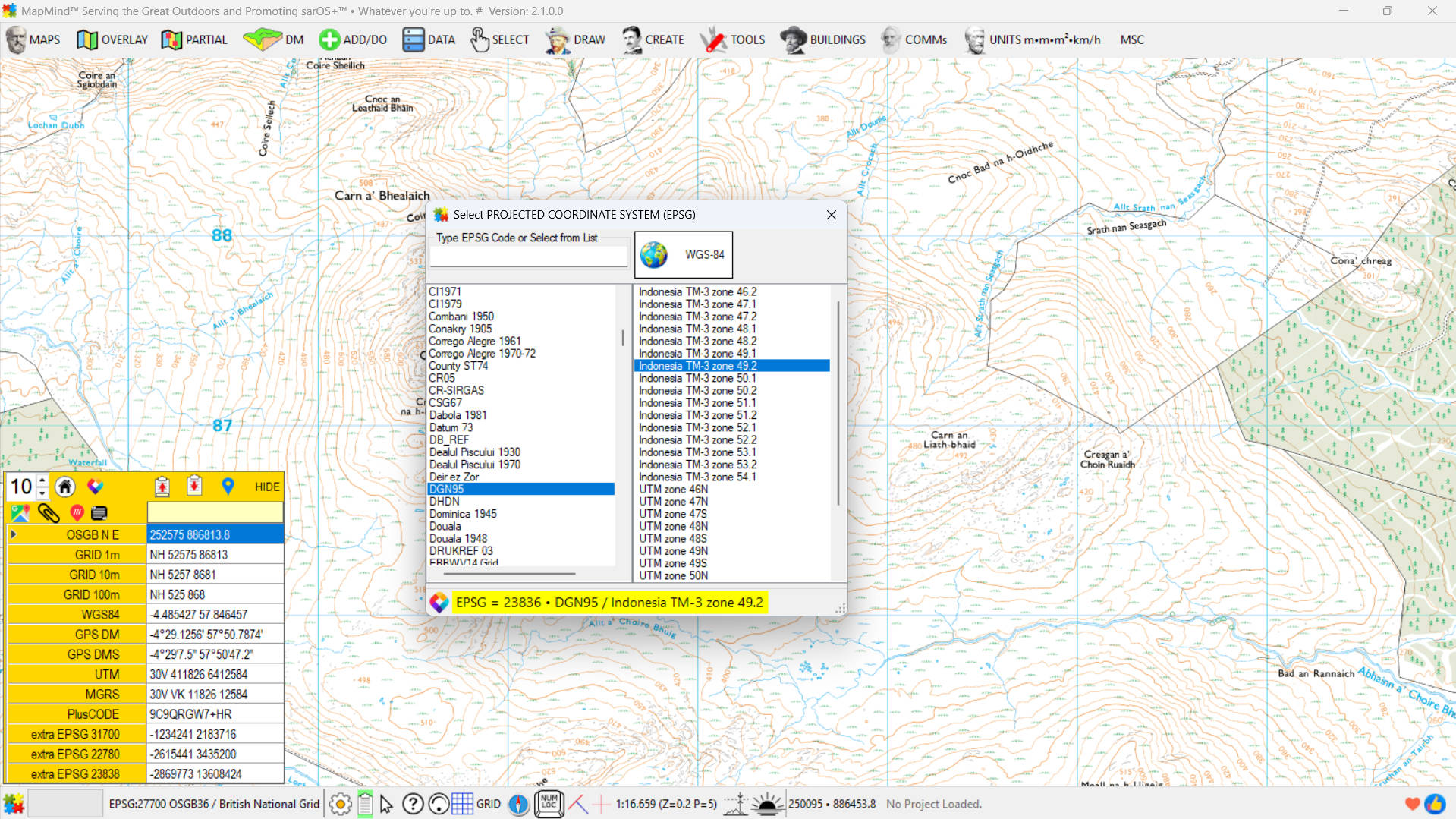
MapMind™ supports any projected coordinate system via the Proj9 library. Users can add an unlimited number of projected coordinate systems plus WGS84 and work seamlessly across them. A left–right mouse click removes a projected coordinate system marked as "extra EPSG XXXX". MapMind™ enables concurrent use of shapefiles from any coordinate system. Shapefiles with an EPSG code different from the base raster map are automatically reprojected on the fly.

5. - From Full Dataset to Focused Cut-Out—Instantly
Click the image to reveal what comes next
MapMind Image 5
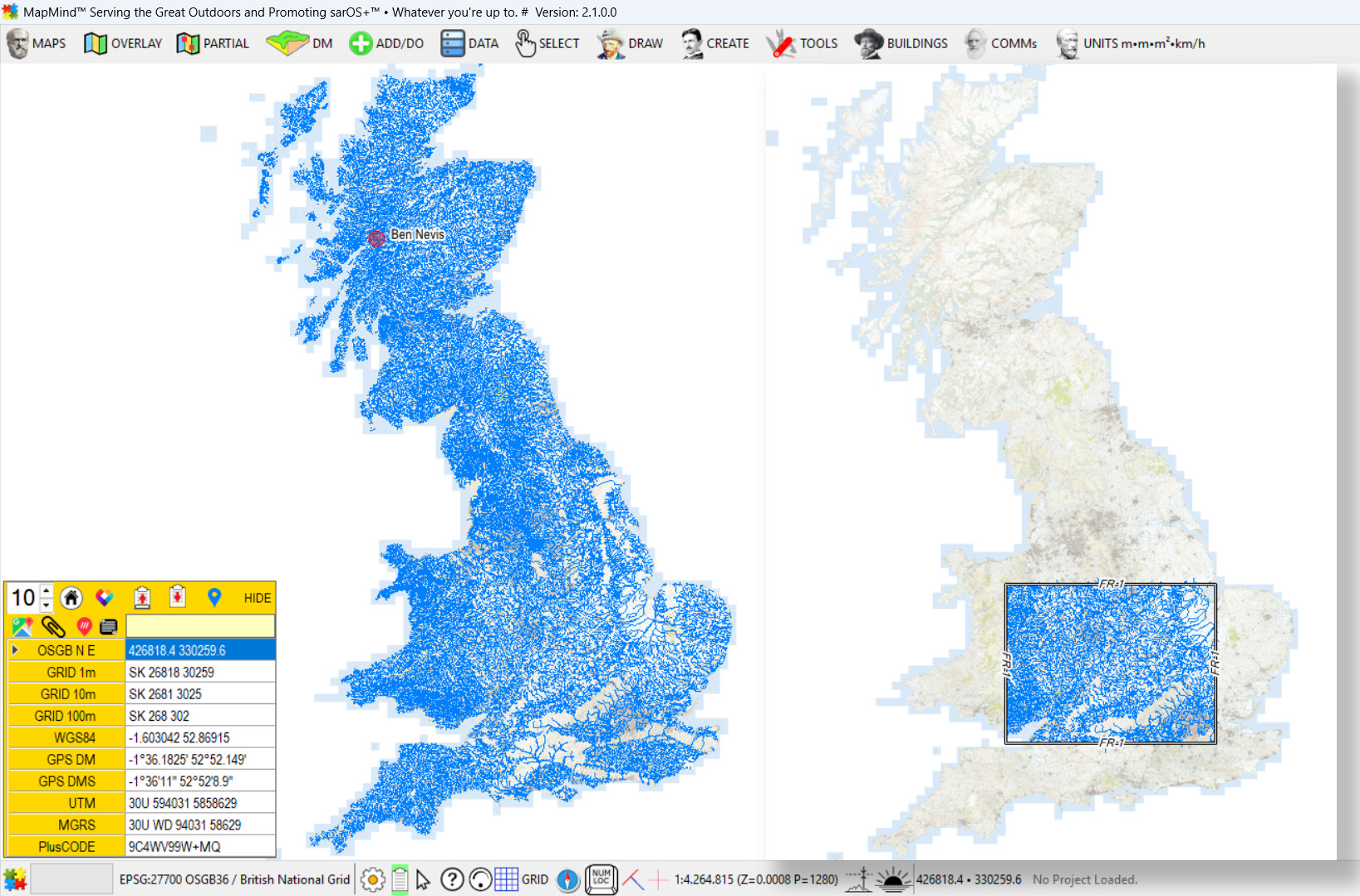
MapMind™ handles shapefiles over 1GB in size with ease. Users can selectively load portions of a shapefile onto the map using the Focus Rectangle tool.
In the example shown:
The left image displays the full Open Rivers dataset from Ordnance Survey UK (44 MB in size).
The right image shows a focused cut-out based on the selected rectangle.
This approach allows for precise, efficient interaction with large datasets—without compromising performance or clarity.

6. Image • Position • Direction • Context • Unified in a Geolocated PDF
Click the image to reveal what comes next
MapMind Image 5
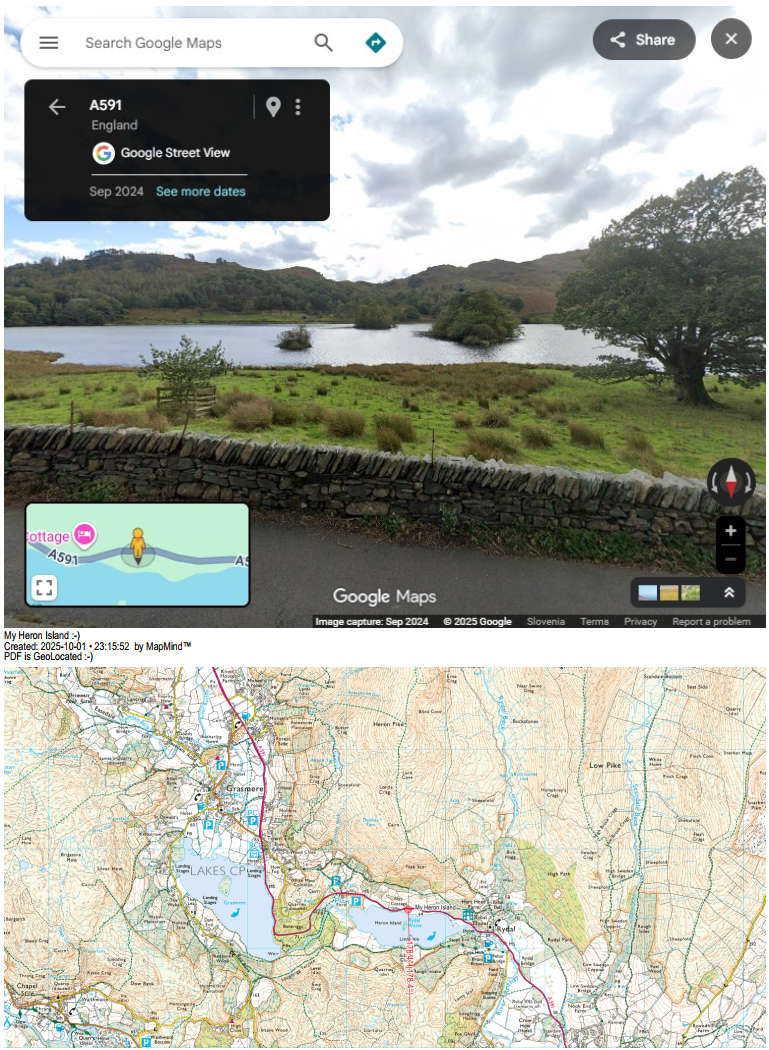
MapMind™ supports the creation of geolocated PDF files in a wide range of formats and combinations. The example above shows a PDF screenshot where Google Street View is seamlessly combined with topographic maps and annotated text.
The entire PDF surface is geolocated and fully navigable using the mobile version of Avenza Maps. While walking or driving across the upper portion (the Street View image) may not offer precise spatial utility, it does provide directional context—helping users orient themselves before entering the topographic section.
The entire PDF was generated with just four clicks.

7.Your Daily Mapping Ritual Import • Draw • Edit • Standardize • Export • Communicate
Click the image to reveal what comes next
MapMind Image 5
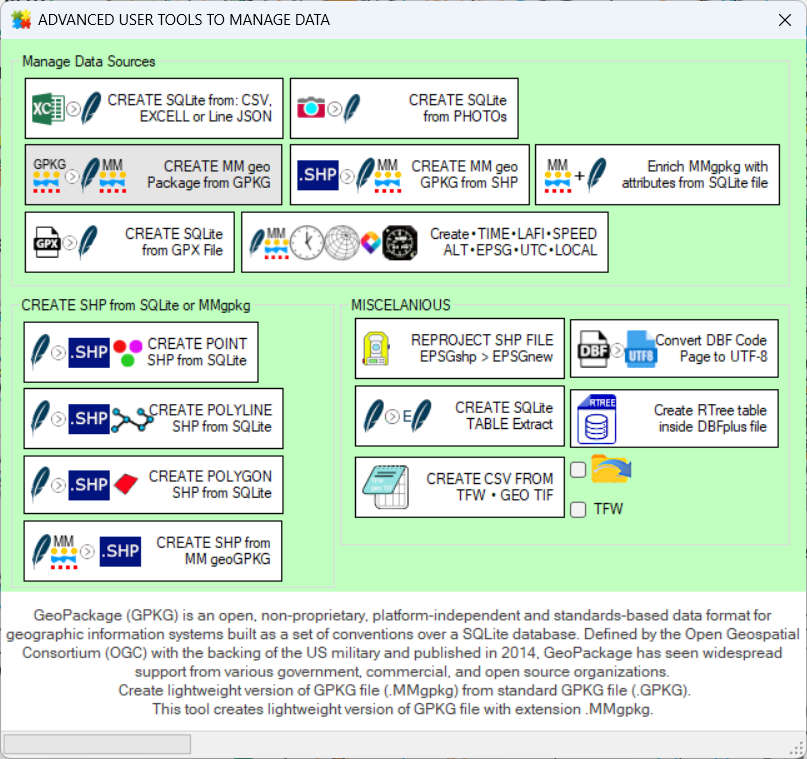
MapMind™ includes tools to draw and edit points, lines, and polylines. It can also handle a wide range of objects—from simple elements to complex compound structures. The toolkit offers modules to convert raw or externally formatted data into MapMind™-ready formats, standardize inconsistent time and date values (like converting between local time and ZULU to bring all formats to a common standard), generate and merge PDFs for various use cases, and send files to mobile devices via FTP. It can also send and receive SMS (text) messages. MapMind™ is a versatile solution designed to support a broad spectrum of mapping and data tasks.

Where Do Maps and Data Come From?

After installation, MapMind™ provides access to OpenStreetMap layers, tools to connect to any raster map server (such as WMS or WMTS), blank maps with selectable EPSG coordinate systems, and support for loading TFW and GeoTIFF raster files. It also includes a module to convert geotagged images into seamless raster underlays, allowing users to integrate scanned or external maps with ease.

MapMind™ also supports Digital Models of Terrain (DMT) by default, with SRTM as the standard format. Users can download terrain data directly using the in-app link, and a built-in tool is available to convert other DMT formats into MapMind™’s standardized structure for seamless integration.

Sources for Raster and Vector Data

Map of United Kingdom

United Kingdom: The OS OpenData Hub is arguably the world’s most comprehensive portal for free access to raster and vector geospatial data—covering the entire UK, down to fine-grained details. Users must log in, then navigate to DATA > Downloads > Open Data or Sample Data to begin. Common formats include SHP, CSV, and GPKG—all fully supported by MapMind™. Commercial datasets from Ordnance Survey, like those shown in examples above, require separate licensing.

European Union: The INSPIRE Geoportal provides harmonized spatial datasets from EU member states. These include land use, hydrography, transport networks, and administrative boundaries, available in various open formats.

Global & Multi-Continent:

Africa: The Africa GeoPortal provides curated datasets for African countries, including administrative boundaries, roads, and land cover.

Asia: Open Data Asia aggregates datasets from various Asian governments and institutions, covering topics from infrastructure to environmental monitoring.

Americas:

GPX Tracks: GPX files are widely available for download from hiking, cycling, and travel platforms. Sites like Wikiloc offer global coverage, and MapMind™ supports direct import for route visualization and analysis.

ChatGPT Icon ChatGPT: With well-crafted prompts, ChatGPT can reveal a plethora of mapping-ready sources—ranging from government portals and academic repositories to niche datasets for terrain, infrastructure, and biodiversity. It serves as a meta-continent of discovery, helping users uncover hidden layers of geospatial access across all regions.